• Home
  • DMCA
  • Contact Us
  • Advertise
Subscribe On Telegram
Chat With Us
Request Anything
Wednesday, November 25, 2026
VFXDownload.Net
  • After Effects
    • After Effects Project
    • Audio Spectrum
    • Title
    • Elements
    • Openers
    • Promo
    • Video Displays
    • Music Visualizer
    • Logo Opener/String/Intro
  • Premiere Pro
    • Premiere Pro Logo
    • MOGRT
    • Premiere Pro Project
    • Title
  • Graphics & Arts
  • Sounds
  • Courses
  • Plugins & Scripts
No Result
View All Result
VFXDownload.Net
No Result
View All Result
Home DaVinci Resolve

VideoHive FPV Drone Transitions for DaVinci Resolve 64588305

September 3, 2026
in DaVinci Resolve
0
VideoHive FPV Drone Transitions for DaVinci Resolve 64588305
FPV drone transitions for DaVinci Resolve 19 and above need no plugins. Use drag-and-drop for photos or video in any resolution and FPS. A video tutorial is included.

Free Download FPV Drone Transitions for DaVinci Resolve. Editing action footage demands speed and smooth motion.
This DaVinci Resolve template pack delivers FPV-style transitions that snap your photo and video edits together with a real drone feel.
No plugins required, and it works with DaVinci Resolve 19 and above, any FPS, and any resolution.
Just use the drag and drop method, then tweak the ready-to-use elements freely.
A video tutorial and full customization options make it effortless.
Save time without losing that professional touch.

Overview of FPV Drone Transitions for DaVinci Resolve

FPV Drone Transitions for DaVinci Resolve is a handcrafted template set from nitrozme that brings fast, aerial-style motion to your edits. It works for both photos and videos, and since it supports any FPS and resolution, you can rely on it no matter how you set up your timeline. The tools run on DaVinci Resolve 19 and newer, with no plugins required, so installation stays simple and clean.

Editors get a truly drag and drop experience. Every element is fully customizable, and ready to use the moment you place it, which cuts down on manual work and lets you keep a polished look without slowing your process. A detailed video tutorial is included, along with online support and future updates, so help is never far away. Whether you are cutting a vlog, a commercial, or a short film, these transitions deliver an energetic drone feel with minimal effort.

Features of FPV Drone Transitions for DaVinci Resolve

  • Runs inside DaVinci Resolve 19 and above with no plugins required. That keeps playback stable and fast.
  • Works with photos and video. Handle stills and moving clips in the same timeline without switching tools.
  • Supports any FPS and resolution. Your transitions stay sharp and correctly timed in 24fps, 60fps, HD, or 4K projects.
  • Drag-and-drop method. Simple to install, simple to use. Drop the transition onto a clip and adjust from there.
  • Full customization is built in. Every element can be tweaked to match the look and pace of your footage.
  • Ready-made handcrafted elements are included. These save editing time and give your cuts a professional FPV feel.
  • A detailed video tutorial ships with the package. Online support and future updates come as part of the deal.

How to use FPV Drone Transitions for DaVinci Resolve

  1. Open DaVinci Resolve and start a new project or load an existing one.
  2. Make sure the FPV Drone Transitions template files are downloaded and unzipped on your drive.
  3. Go to the Effects Library or Power Bins panel and locate the template.
  4. Drag the FPV Drone Transition onto your timeline. Put it directly on the edit point between two clips.
  5. Drop your own drone footage into the placeholder. Resolve normally lets you drag clips over the placeholder and replace it.
  6. Preview the transition. If the pacing feels off, shorten or lengthen the transition clip on the timeline.
  7. Render your timeline to export the final video with the transition.

Download More For Free :

  • Premiere Pro Templates
  • After Effects project
  • Apple Motion Templates
  • Graphics & Vector Art
  • Free Sound Effects
  • Plugin & Script

FPV Drone Transitions for DaVinci Resolve Demo and Download

Go to vfxdownload.net and scroll to the download section. Find FPV Drone Transitions for DaVinci Resolve and click the download button. This pack by nitrozme works with DaVinci Resolve 19 and above, needs no plugins, and supports photo and video at any FPS or resolution. It includes a video tutorial to help you get started. After downloading, drag and drop the transitions into your timeline and adjust them freely.

https://s3.envato.com/h264-video-previews/94334e1d-0d13-4655-bfc1-7c527d4f84a1/64588305.mp4

VideoHive – FPV Drone Transitions for DaVinci Resolve | Size: 38.06 MB

HOW TO DOWNLOAD INFORMATION

Premium Fast-Speed Links

Fast Prefiles  NitroFlare  Turbobit  RapidGator

Free Slow-Speed Links

File-Up  Usersdrive

Disclaimer

The demo content shown for FPV Drone Transitions for DaVinci Resolve is for educational use only. This preview lets you evaluate the template before purchase. If you intend to use this VideoHive template for commercial projects, you must purchase it from vfxdownload.net. The full license terms and usage conditions are available on the download page.
Join @vfxdownloadnet on Telegram
Tags: actionaction transitionsadventureaerialaerial footageaerial transitionscameracamera motionCinematiccinematic transitionsdronedrone footagedrone shotsdrone transitionsDynamicDynamic Transitionsextremeextreme sportsfast transitionsflightfpvfpv droneFPV Drone Transitions for DaVinci ResolveFPV Drone Transitions for DaVinci Resolve 64588305FPV Drone Transitions for DaVinci Resolve downloadFPV Drone Transitions for DaVinci Resolve for DaVinci Resolvefpv shotsfpv transitionsInstagrammotionMotion Transitionsprofessionalprofessional transitionsreelshortsSocial MediaspeedSportssports videotransitionsTraveltravel videovideo editingVideohive FPV Drone Transitions for DaVinci ResolveVideohive FPV Drone Transitions for DaVinci Resolve 64588305Videohive FPV Drone Transitions for DaVinci Resolve 64588305 Free DownloadVideohive FPV Drone Transitions for DaVinci Resolve Free Downloadyoutube

Related Posts

VideoHive Transitions System 86 61898290
DaVinci Resolve

VideoHive Transitions System 86 61898290

November 25, 2026
VideoHive Pro Camera Zoom Transitions for DaVinci Resolve 61897687
DaVinci Resolve

VideoHive Pro Camera Zoom Transitions for DaVinci Resolve 61897687

November 25, 2026
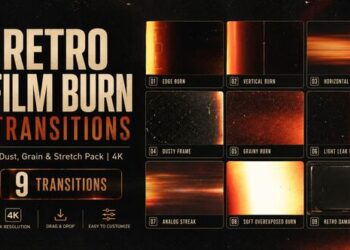
VideoHive Retro Film Burn Transitions — Dust, Grain & Stretch Pack | 4K DaVinci Resolve 64247737
DaVinci Resolve

VideoHive Retro Film Burn Transitions — Dust, Grain & Stretch Pack | 4K DaVinci Resolve 64247737

November 17, 2026
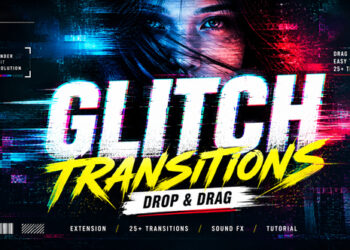
VideoHive Digital Glitch Transition For DaVinci Resolve 64148256
DaVinci Resolve

VideoHive Digital Glitch Transition For DaVinci Resolve 64148256

November 17, 2026
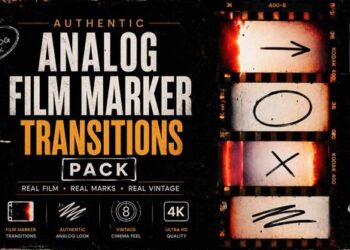
VideoHive Authentic Analog Film Marker Transitions Pack 4K \ Vertical 64247568
DaVinci Resolve

VideoHive Authentic Analog Film Marker Transitions Pack 4K \ Vertical 64247568

November 17, 2026
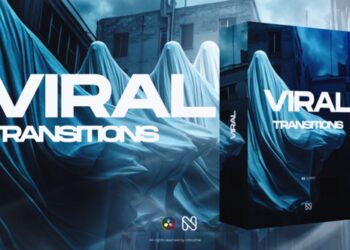
VideoHive Viral Transitions for DaVinci Resolve 64055912
DaVinci Resolve

VideoHive Viral Transitions for DaVinci Resolve 64055912

November 5, 2026
0 0 votes
Article Rating
Subscribe
Notify of

This site uses Akismet to reduce spam. Learn how your comment data is processed.

0 Comments
Oldest
Newest Most Voted

Categories

Subscribe VFX

Join Chat Group

VFX Request Bots

Most Popular Packs!!!

How To Download Files

Free Download!!!!!!


Facebook Telegram

Pages

  • Advertise
  • Contact Us
  • DMCA
  • How To Download
  • Privacy Policy
  • Search
  • VFXDownload.Net

Top Categories

  • After Effects
  • Adobe Premiere Pro
  • Free Course
  • Motion Graphics
  • Exclusive
  • Google Drive Courses/Packs
  • Plugin & Script

Copyright © 2020-2025 VFXDownload.Net

No Result
View All Result
  • After Effects
    • After Effects Project
    • Audio Spectrum
    • Title
    • Elements
    • Openers
    • Promo
    • Video Displays
    • Music Visualizer
    • Logo Opener/String/Intro
  • Premiere Pro
    • Premiere Pro Logo
    • MOGRT
    • Premiere Pro Project
    • Title
  • Graphics & Arts
  • Sounds
  • Courses
  • Plugins & Scripts

Copyright © 2020-2025 VFXDownload.Net

wpDiscuz
0
0
Would love your thoughts, please comment.x
()
x
| Reply