
• Home
  • DMCA
  • Contact Us
  • Advertise
Subscribe On Telegram
Chat With Us
Request Anything
Thursday, September 24, 2026
VFXDownload.Net
  • After Effects
    • After Effects Project
    • Audio Spectrum
    • Title
    • Elements
    • Openers
    • Promo
    • Video Displays
    • Music Visualizer
    • Logo Opener/String/Intro
  • Premiere Pro
    • Premiere Pro Logo
    • MOGRT
    • Premiere Pro Project
    • Title
  • Graphics & Arts
  • Sounds
  • Courses
  • Plugins & Scripts
No Result
View All Result
VFXDownload.Net
  • After Effects
    • After Effects Project
    • Audio Spectrum
    • Title
    • Elements
    • Openers
    • Promo
    • Video Displays
    • Music Visualizer
    • Logo Opener/String/Intro
  • Premiere Pro
    • Premiere Pro Logo
    • MOGRT
    • Premiere Pro Project
    • Title
  • Graphics & Arts
  • Sounds
  • Courses
  • Plugins & Scripts
No Result
View All Result
VFXDownload.Net
No Result
View All Result
Home Adobe Premiere Pro

VideoHive Fast Camera Shutter Transitions for Premiere Pro 62199034

September 24, 2026
in Adobe Premiere Pro
0
VideoHive Fast Camera Shutter Transitions for Premiere Pro 62199034

RelatedPosts

VideoHive Vertical & Horizontal Photo Slideshow 62117659

VideoHive Vertical & Horizontal Photo Slideshow 62117659

September 24, 2026
VideoHive Urban Energy - Dynamic Intro / MOGRT 62117114

VideoHive Urban Energy – Dynamic Intro / MOGRT 62117114

September 24, 2026
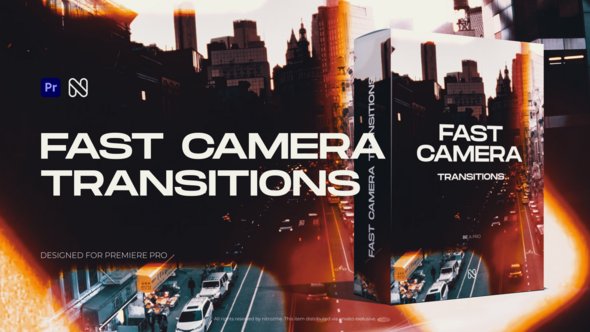
Fast Camera Shutter Transitions is a Premiere Pro 2025 and above template pack. No plugins needed. Drag and drop elements for photo or video at any FPS and resolution.

Free Download Fast Camera Shutter Transitions for Premiere Pro. Cut between shots with a fast camera shutter effect, no plugins and no fuss.
This transition pack by nitrozme runs in Adobe Premiere Pro CC2025 and above, works for photo and video, and supports any FPS and resolution.
Use the Drag and Drop method with ready-made elements, then customize fully.
A video tutorial makes installation and use easy.

Overview of Fast Camera Shutter Transitions for Premiere Pro

Fast Camera Shutter Transitions for Premiere Pro gives editors a set of ready to use elements from nitrozme. No plugins are required, so you can drop the transitions straight onto your timeline and keep working. The pack supports Premiere Pro 2025 and above, handles photo and video clips, and works with any FPS or resolution you edit in.

The drag and drop method keeps setup short, while full customization lets you adjust each transition to fit the cut. A detailed video tutorial guides you through the process. The price covers the elements package, online support, and future updates.

If you cut photo slideshows or short video edits, this set helps you move faster without extra plugins.

Features of Fast Camera Shutter Transitions for Premiere Pro

  • Built for Adobe Premiere Pro CC 2025 and newer, so the transitions work inside your existing timeline.
  • No plugins required. The effects run with your standard Premiere Pro setup.
  • Use them for photo and video projects, with any FPS and resolution.
  • Easy to install and use. The drag and drop method saves time while editing.
  • Full customization lets you shape each transition to fit the sequence.
  • These camera shutter transitions add a unique professional touch to your video.
  • The package includes ready to use elements and a detailed video tutorial.
  • Price includes the elements package, online support, and future updates.

How to use Fast Camera Shutter Transitions for Premiere Pro

  • Open Adobe Premiere Pro and load your project.
  • Import the Fast Camera Shutter Transitions for Premiere Pro template.
  • Place two clips on the timeline and find the cut you want to accent.
  • Drag the transition onto the edit point between the clips.
  • Use the Effect Controls panel to adjust scale or position if the edit needs it.
  • Trim the clips so the transition hits the frame you want.
  • Play the section back and check the speed.
  • Make small timing changes until it feels sharp.
  • Repeat the process for each cut.
  • Render or export your video when the sequence looks right.
  • Keep each transition short so the shutter effect stays punchy.
  • Confirm your sequence settings match your footage before you start.
  • Check the start and end handles on both clips.
  • Then preview the full sequence once more.

Download More For Free :

  • Premiere Pro Templates
  • After Effects project
  • Apple Motion Templates
  • Graphics & Vector Art
  • Free Sound Effects
  • Plugin & Script

Fast Camera Shutter Transitions for Premiere Pro Demo and Download

To download Fast Camera Shutter Transitions for Premiere Pro from vfxdownload.net, scroll to the download section and click the download button. This template works with Premiere Pro CC2025 and above, needs no plugins, and supports any FPS and resolution. It includes a drag and drop method, full customization, and a detailed video tutorial. Use it for photo and video projects.

https://s3.envato.com/h264-video-previews/20bdeb16-dbb9-42c9-8c17-980cacc62f2c/62199034.mp4

VideoHive – Fast Camera Shutter Transitions for Premiere Pro | Size: 27.3 MB

HOW TO DOWNLOAD INFORMATION

Premium Fast-Speed Links

Fast Prefiles  NitroFlare  Turbobit  RapidGator

Free Slow-Speed Links

File-Up  Usersdrive

Disclaimer

This disclaimer applies to the Fast Camera Shutter Transitions for Premiere Pro template by VideoHive. The demo content is for educational use only. You may study it to learn how the transitions work. Commercial use requires a purchase from vfxdownload.net. No rights or licenses are granted by this demo. Check current terms and licensing before any project use.


Join @vfxdownloadnet on Telegram
Tags: blurBurncameracamera movementcamera shutterCinematicDynamiceditEnergeticFast Camera Shutter Transitions for Premiere ProFast Camera Shutter Transitions for Premiere Pro 62199034Fast Camera Shutter Transitions for Premiere Pro downloadFast Camera Shutter Transitions for Premiere Pro for Adobe Premiere ProFilmFilm BurnflareflashGlitchIntroLightLight LeakLight Leak TransitionLightleakModernmontagemotionMovementOpeneroverlaypanpost productionshakeshuttershutter effectshutter transitionstreakteaserTrailertransitiontransitionsvfxvideo editingVideohive Fast Camera Shutter Transitions for Premiere ProVideohive Fast Camera Shutter Transitions for Premiere Pro 62199034Videohive Fast Camera Shutter Transitions for Premiere Pro 62199034 Free DownloadVideohive Fast Camera Shutter Transitions for Premiere Pro Free Downloadwipezoom

Related Posts

VideoHive Vertical & Horizontal Photo Slideshow 62117659
Adobe Premiere Pro

VideoHive Vertical & Horizontal Photo Slideshow 62117659

September 24, 2026
VideoHive Urban Energy - Dynamic Intro / MOGRT 62117114
Adobe Premiere Pro

VideoHive Urban Energy – Dynamic Intro / MOGRT 62117114

September 24, 2026
VideoHive Sports Cup Logo 62092910
Adobe Premiere Pro

VideoHive Sports Cup Logo 62092910

September 24, 2026
VideoHive Sport Opener and Fitness / MOGRT 62117251
Adobe Premiere Pro

VideoHive Sport Opener and Fitness / MOGRT 62117251

September 24, 2026
VideoHive Sport Gym Opener / MOGRT 62117183
Adobe Premiere Pro

VideoHive Sport Gym Opener / MOGRT 62117183

September 24, 2026
VideoHive Phone UI Elements 39809471
Adobe Premiere Pro

VideoHive Phone UI Elements 39809471

September 24, 2026
0 0 votes
Article Rating
Subscribe
Notify of

This site uses Akismet to reduce spam. Learn how your comment data is processed.

0 Comments
Oldest
Newest Most Voted

Categories

Subscribe VFX

Join Chat Group

VFX Request Bots

Most Popular Packs!!!

How To Download Files

Free Download!!!!!!


Facebook Telegram

Pages

  • Advertise
  • Contact Us
  • DMCA
  • How To Download
  • Privacy Policy
  • Search
  • VFXDownload.Net

Top Categories

  • After Effects
  • Adobe Premiere Pro
  • Free Course
  • Motion Graphics
  • Exclusive
  • Google Drive Courses/Packs
  • Plugin & Script

Copyright © 2020-2025 VFXDownload.Net

No Result
View All Result
  • After Effects
    • After Effects Project
    • Audio Spectrum
    • Title
    • Elements
    • Openers
    • Promo
    • Video Displays
    • Music Visualizer
    • Logo Opener/String/Intro
  • Premiere Pro
    • Premiere Pro Logo
    • MOGRT
    • Premiere Pro Project
    • Title
  • Graphics & Arts
  • Sounds
  • Courses
  • Plugins & Scripts

Copyright © 2020-2025 VFXDownload.Net

wpDiscuz
0
0
Would love your thoughts, please comment.x
()
x
| Reply
















