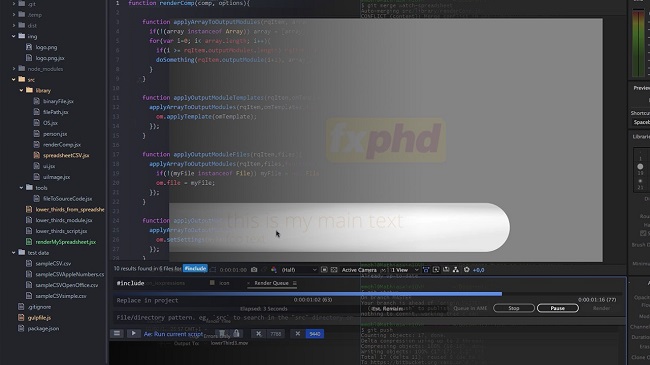



Download AFX304 Advanced Scripting for After Effects, Part 2 – FXPHD – Free Course Download
FXPHD AFX304 Advanced Scripting for After Effects Part 2 Free Download – Tutorial Free Download
COURSE NUMBER: AFX303
SOFTWARE VERSION: CC 2017
ORIGINAL RUN DATE: February 2017
DURATION: 5 hours 31 minutes
This course by Mathis Möhl continues the scripting project from Advanced Scripting for After Effects, Part 1 and mainly concentrates on the following three advanced topics:
1) Gulp Build System
2) Collaboration with Git
3) Scripting the Render Queue
Gulp Build System
Gulp will help us to automate many tasks of script development. In the previous course AFX303 we have seen that it makes a lot of sense to develop modular code that is distributed over many source files. But when we deliver the project to a client, he usually want to have a single, self-contained script file that often should also be obfuscated to protect our intellectual property.
Gulp can do all of this an much more fully automatically.
Collaboration with Git
In the course AFX303 you learned already the basics of using the git version control system. Now you learn how to use it when working with several people on the same project in parallel. For this, you learn how to work with different branches, how to deal with merge conflicts and how to synchronize your project with a server that can be accessed by all team members.
Scripting the Render Queue
You learn how to start the After Effects render queue or Adobe Media Encoder directly from a script. We cover all the details of controlling the render settings and output modules. As an example, we write a script that renders different variants of a lower thirds project based on data stored in a spreadsheet file. Similar to a watch folder, the script can even monitor the spreadsheet and as soon as the content of the spreadsheet changes, the script starts rendering the new content fully automatically.
While focusing on those three topics, you will also hone your skills to write clean and modular code. With gulp, for example, we also configure a linter that permanently checks your code quality in the background. And in our scripting code for the render queue, for example, we exercise how to minimize redundancy in the code by using functions as arguments of other functions. The course also looks at the ESTK (ExtendScript Toolkit) from Adobe.
Mathias Möhl is cofounder of mamoworld.com, a company with a strong focus on the development of scripts and other extensions for After Effects and Premiere Pro. His most popular developments comprise the After Effects scripts MochaImport+, iExpressions and Auto Lip-Sync as well as BeatEdit for Premiere Pro. Mathias is also an experienced trainer. He released more than 100 free video tutorials on mamoworld.com and has been invited to present at events like Animago and the After Effects World Conference. In an earlier life, Mathias did a PhD in Computer Science (which got the top rating “summa cum laude”) and as a researcher in Bioinformatics, he published more than 15 articles in international, scientific conferences and journals.
course syllabus
Learn the basics of gulp, in particular how to install it and how to use it to automatically combine all source files of a script into a single result file.
We add a lot of extra functionality to our automated gulp build system. In particular, we learn how to obfuscate and zip the result file, how to add a meaningful header with version information and how to implement a clean task.
We integrate gulp into our atom text editor and learn how to execute After Effects scripts directly from gulp. In order to do this, we also learn the basics of asynchronous execution and callbacks in JavaScript and Node.js. Finally, we learn how to configure a linter with gulp that monitors our code quality in the background.
All about linting. You learn how to work with the linter JSHint and how to configure it properly to deal with the special needs of After Effects ExtendScript.
Time for some team work! In this class, we setup a central code repository using the web service of bitbucket.org. We use it to share our code among several team members such that the code we write during the next classes can be developed by several people in parallel.
You’ve learned a lot about gulp already. But today, we are not just using it to build your scripting project, but to setup an automated Ae workflow: We configure gulp such that it monitors a spreadsheet file in the background and as soon as the spreadsheet file changes, it automatically renders the jobs described in the spreadsheet file. In this class, you do not just get a new perspective on gulp, but also learn the basics of scripting the render queue of After Effects.
We take an in depth look at rendering. You learn how a script can apply presets for render settings and output modules, adjust individual settings and send render jobs to Adobe Media Encoder.
We focus on your skill to write clean and modular code. We wrap all the knowledge you gained in the previous class into a convenient and intuitive function that will become your swiss army knife for scripting the render queue. To avoid repetitive parts in our code, we use advanced concepts like passing functions as argument of other functions.
Finally, it is time to bring everything together. First we finish our rendering function and then we merge the code of all team members into the final result. To do this you learn how to merge code with git and resolve merge conflicts when several team members modified the same part of the code in parallel. The end result is a fully automatic pipeline to render lower thirds. The content of the lower thirds is stored in a spreadsheet file that is monitored by our pipeline. As soon as the content of the spreadsheet changes on disk, a template project for the tower thirds is opened in After Effects. Then for each lower third contained in the spreadsheet, the content of the template project is updated and rendered immediately.
FXPHD AFX304 Advanced Scripting for After Effects Part 2 Free Download (1.2 GB)