
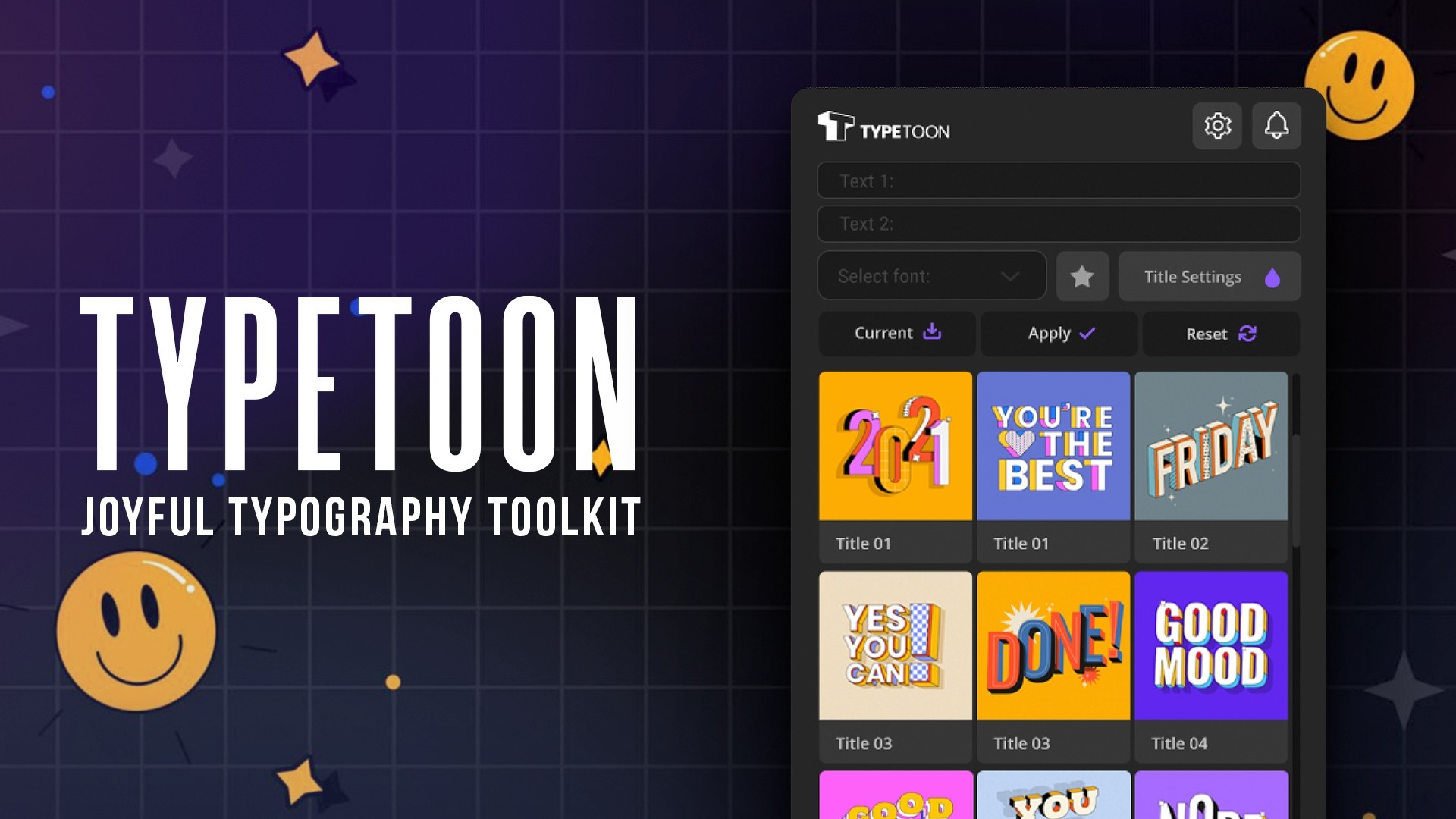



Free Download TypeToon. Meet TypeToon, your go-to After Effects plugin for creating vibrant and eye-catching kinetic typography videos. With 64 retro-style text animation elements and a 3D aesthetic, this tool simplifies producing looping text animations, perfect for video titles, logos, and more. Its unique feature allows you to toggle text backgrounds, ensuring flexibility with transparent or colored backgrounds. High compatibility with Adobe After Effects 2021 and later assures smooth integration into your workflow, enhancing your creative projects on Windows platforms. Offering tutorials and a try-before-you-buy option, TypeToon is designed for both novices and professionals aiming to bring their dynamic text ideas to life.
| After Effects | 2025, 2024, 2023, 2022, 2021, 2020, CC 2019, CC 2018, CC 2017, CC 2015.3, CC 2015 |
|---|
What is TypeToon?
TypeToon is a dynamic After Effects plugin designed to breathe life into your text animations. Offering 64 colorful kinetic typography elements with a nostalgic, retro flair and 3D-style appearance, this tool simplifies creating captivating looping text animations. Whether you need animated text for video posters, logo reveals, or video titles, TypeToon makes it easy. The plugin allows for seamless integration with transparent backgrounds, enhancing flexibility and creativity in your projects. Plus, you can explore its features before purchase, ensuring it meets your creative needs.
Overview of TypeToon
Bring your text to life with the TypeToon plugin for Adobe After Effects. This plugin offers you 64 vibrant, retro-styled kinetic typography elements that add a dynamic 3D-style look to your video content. Ideal for creating eye-catching video titles, logo reveals, and promotional posters, TypeToon allows for continuous looping animations, ensuring your message captures and retains viewer attention.
One of the standout features of TypeToon is its ability to work with transparent backgrounds, simplifying the integration of text over existing video content without any hassle. Plus, before you commit to buying, you can test and preview your animations, ensuring they meet your specific needs. With TypeToon, turning your creative text ideas into engaging animations has never been more accessible or straightforward.
Features of TypeToon
If you’re venturing into dynamic text animations within Adobe After Effects, ‘TypeToon’ might just be the tool you need. It brings to life colorful and retro-styled kinetic typography with an ease that can transform the way you deliver textual animations in your projects. Here’s a peek at what makes TypeToon stand out:
- Looping Text Animations: Effortlessly create continuous loop animations that keep your audience engaged. Perfect for video titles, logo reveals, or even dynamic digital posters.
- Transparent Background: Offers flexibility with a simple toggle to switch off text backgrounds, making it ideal for layering text over existing footage or images without any clash.
- Try Before You Buy: Experiment with your ideas and preview animations before any purchase, ensuring it fits your project before any commitment.
- Extensive Tutorials: Access a variety of instructional content to get up to speed or troubleshoot your projects, making it user-friendly for both beginners and pros.
- Integrated with Adobe After Effects: Seamlessly fits into your After Effects workflow (2021 versions and above), enhancing its functionality and removing the need for additional complicated software.
- Rich Content Library: Comes packed with 64 colorful kinetic typography elements, enhancing your creative possibilities.
- Full HD Resolution: Supports Full HD outputs, ensuring high-quality visuals that are sharp and professional in every frame.
- Compact Size: The plugin is lightweight at 135 MB, meaning it won’t bog down your system.
TypeToon not only complements After Effects but enriches your video editing capabilities with stylish text animations that are straightforward yet impactful. Whether for professional or personal projects, TypeToon could be your go-to plugin for making text come alive.
How to install TypeToon
If you’re ready to install the ‘TypeToon’ template in After Effects on a Windows system, follow these precise steps for a smooth setup:
1. Ensure you have After Effects closed before you start the installation process to prevent any issues.
2. Download the ‘TypeToon’ template and locate the script file included in your download package. This script is crucial as it will automate much of the setup.
3. Navigate to the folder where you need to install the extension. On Windows, you’ll paste the template and script into this directory: C:\Program Files (x86)\Common Files\Adobe\CEP\extensions\
4. Copy the entire ‘TypeToon’ folder—make sure you include the script file—and paste it into the directory mentioned above.
5. Open After Effects, and you should see ‘TypeToon’ appear in the ‘Window’ tab. If it’s not visible, restart After Effects to refresh the plugin list.
6. Once you see ‘TypeToon’ in After Effects, click it to activate the template. You’re now ready to begin using ‘TypeToon’ to create engaging motion graphics with a personalized touch.
By placing the necessary files in the correct directory and ensuring the script is properly set up, you avoid potential errors and set the stage for a successful installation. Enjoy your creative exploration with ‘TypeToon’ in After Effects!
Download More For Free :
Technical Details and System Requirements
If you’re venturing into the world of animated typography with After Effects, TypeToon is a plugin you should consider. This tool is designed to work seamlessly with After Effects, requiring a minimum version of CS6. It supports both Windows and macOS, ensuring versatility across platforms. TypeToon enables users to create dynamic text animations without extensive coding knowledge. The system requirements are straightforward: a 64-bit processor and at least 8GB of RAM are recommended for smooth operation. Additionally, to fully benefit from TypeToon’s features, ensure your graphics card is updated and supports OpenGL 2.0 or higher. This setup will help you achieve crisp, professional-looking text animations that can elevate your video projects.
1.6.3 (Current version) – Mar 10, 2025
Initial release
TypeToon Demo and Download
For those eager to start using the TypeToon template from vfxdownload.net, downloading it is straightforward and quick. Simply navigate the website, find the TypeToon template page, and look for the download button. Clicking this button will initiate the download process, allowing you to quickly access the template and start incorporating engaging motion graphics into your projects. Make sure your internet connection is stable to ensure a smooth and fast download experience.
Aescripts TypeToon v1.6.3 (WIN+MAC) | Size: 147.96 MB
Prefiles File-Up Fast Nitroflare Usersdrive Turbobit RapidGator
Disclaimer
If you’re using the ‘TypeToon’ template from ‘Aescripts’, please note that the demo content provided is solely for educational purposes. For any commercial use, you must acquire the appropriate license from vfxdownload.net. This ensures that creators are fairly compensated for their work, allowing them to continue developing innovative tools and resources for professionals like you.


















