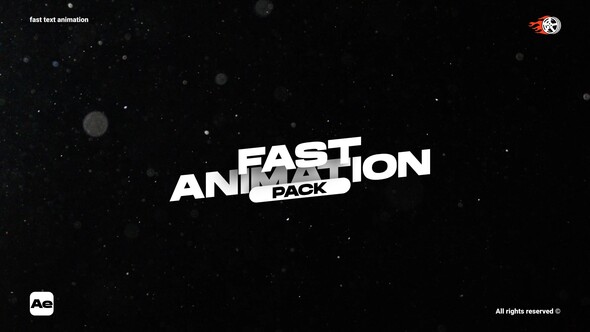
Free Download Fast Text Animation – ae. Looking to speed up your video projects with dynamic text effects? Fast Text Animation for After Effects offers a solution that combines efficiency with style. This tool provides nine scenes, including an RGB version, all in stunning 4K resolution. Ideal for users of After Effects CC2022, it features a user-friendly interface and full color control, making adjustments a breeze. Plus, it’s designed for quick rendering and simple in & out animation, ensuring a smooth workflow. No external plugins are required, and a helpful video tutorial is included to get you started right away. Whether you’re crafting promotional content or personal projects, Fast Text Animation enhances your productions without the fuss.
Overview of Fast Text Animation – ae
Fast Text Animation for After Effects CC2022 brings life to your text with 9 unique scenes and an additional RGB version, all in stunning 4K resolution. Perfect for projects requiring dynamic text effects without heavy plugins, this template ensures a fast render time and includes a helpful video tutorial. Experience full creative control with extensive color settings and enjoy an easy-to-use interface designed for both novice and experienced users. Make your animations stand out with minimal effort and maximum impact.
Features of Fast Text Animation – ae
- Product Name: Fast Text Animation – ae
- Compatibility: Works with After Effects CC 2022
- Resolution: High quality 4K format (3840×2160)
- Scenes: Includes 9 unique scenes along with an RGB version for creative flexibility
- Video Tutorial: Comes with a tutorial to guide users through setup and customization
- Color Control: Full color control, allowing users to customize according to their branding needs
- User Experience: Designed for easy use with a friendly interface
- Animation: Features smooth ‘In & Out’ animation style
- Render Speed: Optimized for fast rendering, minimizing wait times
- No Plugins Needed: Operates independently without the need for additional plugins
- Music Preview: Includes a preview with music to sample the final look and feel
The ‘Fast Text Animation – ae’ integrates seamlessly with Adobe After Effects, ensuring that users can easily implement dynamic text effects right within their existing projects. This plug-in provides a robust, high-resolution output that enhances your video projects, making them more engaging and professional without requiring extensive motion graphics expertise. Its user-friendly interface and comprehensive video tutorial make it accessible even for those relatively new to After Effects, ensuring a smooth workflow and an enjoyable editing experience.
How to use Fast Text Animation – ae
Step 1: Start by opening Adobe After Effects. Go to ‘File’ and select ‘Open Project’ to load your project where you want to apply the Fast Text Animation – ae template.
Step 2: Import the Fast Text Animation – ae template file into your project. Go to ‘File’, then ‘Import’, and select ‘File’. Browse to your template file, select it, and click ‘Open’.
Step 3: Locate the imported template in the Project panel. Drag the template into your composition timeline where you want the animated text to appear.
Step 4: Double-click the template layer in the timeline to access the editable text fields. Click on the text layer within the template composition to begin editing the text to your preference.
Step 5: After adjusting your text, preview the animation by hitting the spacebar or by scrubbing through the timeline to ensure the animation and text appear as expected.
Step 6: Once you’re satisfied with the text animation, go to ‘File’, choose ‘Export’, and then select ‘Add to Render Queue’ to export your final composition.
Step 7: In the Render Queue, adjust the output settings as necessary, then click ‘Render’ to finalize your video with the new text animation.
Download More For Free :
Fast Text Animation – ae Demo and Download
If you’re looking to upgrade your video projects with some quick and striking text animations, the ‘Fast Text Animation – ae’ template is just a few clicks away. Simply visit vfxdownload.net, navigate to the template’s page, and locate the download section. There, you’ll find the download button. Click on it, and the template will start downloading immediately, ready for you to use in your next project. Happy editing!
VideoHive – Fast Text Animation – ae | Size: 5.12 MB
Fast Prefiles NitroFlare Turbobit RapidGator
Disclaimer
If you’re exploring the ‘Fast Text Animation – ae’ template from VideoHive, please note that the demo content is strictly for educational purposes. For any commercial usage, it is mandatory to acquire this template through vfxdownload.net. This disclaimer ensures that all users are aware of the usage rights and abide by them to maintain compliance and support creators.