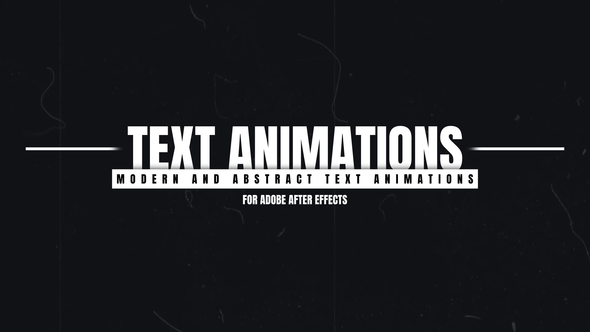
Free Download Text Animations. If you’re looking to bring dynamic flair to your video projects, text animations can be a game-changer. Adobe After Effects offers a suite of 7 Text Animations that are fully compatible with CC2020 and later versions. These templates require no additional plugins and are designed for easy customization. Users have full control over text, color, and the duration of animations, making it effortlessly simple to tailor to your project needs. Whether you’re crafting content for 4K, Full HD, or social media resolutions like Instagram Stories, these tools are versatile and user-friendly. The package also includes a helpful tutorial video to get you started right away.
Overview of Text Animations
Text Animations for Adobe After Effects offer a comprehensive suite for creating dynamic intro and outro sequences. Compatible with Adobe After Effects CC2020 and newer, this full project file does not require additional plugins and supports resolutions up to 4K, including formats for Full HD, Square, and Instagram Stories. Features like autoresizing text boxes, universal expressions, and control over text, color, and animation duration ensure versatility and ease of use. A detailed tutorial video is included, along with links to free fonts, making this package a complete solution for enhancing your video projects. Note that the preview music is sold separately.
Features of Text Animations
- Compatible with Adobe After Effects CC2020 and newer versions.
- Includes a full Adobe After Effects project file, streamlining your workflow.
- No need for additional plugins, making it accessible and user-friendly.
- Offers flexible time duration control for both the intro and outro segments of your animations.
- Supports multiple resolutions: 4K, Full HD, Square, and Instagram Stories; resolution size is easily adjustable.
- Features Universal Expressions, enabling compatibility with any After Effects language version.
- Equipped with autoresize functionality: all boxes adjust automatically to fit text.
- Includes a tutorial video, easing the learning curve and speeding up mastery of the tool.
- Allows full control over text, color, and duration to suit your specific needs.
- Fonts used in the animations are freely available, with a link provided to download them.
Text Animations for Adobe After Effects enhances your video projects by integrating seamlessly with After Effects. This ensures a smooth, efficient workflow, enabling both beginners and professionals to produce dynamic, compelling text-based animations without the need for complex coding or additional software. The tool’s design emphasizes ease of use, customization, and compatibility, ensuring that your creative visions are brought to life effectively and beautifully.
How to use Text Animations
If you’re ready to give your videos a creative twist, using the Text Animations template in After Effects is a fantastic choice. Here’s a simple guide to get you started:
1. Open Adobe After Effects. Select File > New Project to start fresh, ensuring a clean workspace.
2. Import the Text Animations template. Go to File > Import > File, and choose your desired Text Animations template file.
3. Drag the template into the timeline at the bottom of the screen to begin customization.
4. Double-click the text layer in the timeline to activate the editing mode. Enter your text here. You can adjust the font, size, and color in the Character panel on the right side.
5. To animate your text, browse through the different animation presets in the Effects & Presets panel. Drag your chosen effect onto the text layer in the timeline.
6. Fine-tune the animation settings by clicking on the text layer and exploring the options under the Effect Controls tab.
7. Preview your animation by pressing the Space bar. Make any necessary adjustments.
8. Once satisfied, export your project by selecting File > Export > Add to Render Queue. Choose your output format and destination, then click Render.
With these steps, you’ll bring dynamic text animations to your videos, making them more engaging and professional.
Download More For Free :
Text Animations Demo and Download
If you’re ready to spruce up your video projects with some dynamic text animations, downloading the template you need is just a few clicks away. Start by visiting vfxdownload.net. Navigate through the site until you find the ‘Text Animations’ template page. Once there, simply scroll until you see the download button; click it to begin your download immediately. This process is quick, ensuring you get back to your creative work without delay. Enjoy bringing your videos to life with your new animations!
VideoHive – Text Animations | Size: 19.76 MB
Fast Prefiles NitroFlare Turbobit RapidGator
Disclaimer
If you’re considering using the ‘Text Animations’ template from VideoHive, please note that the demo content provided is strictly for educational purposes. Should you wish to use these animations for commercial projects, you must first purchase the official license from vfxdownload.net. This ensures you are compliant with legal requirements and supports the creators who’ve developed these versatile resources.