
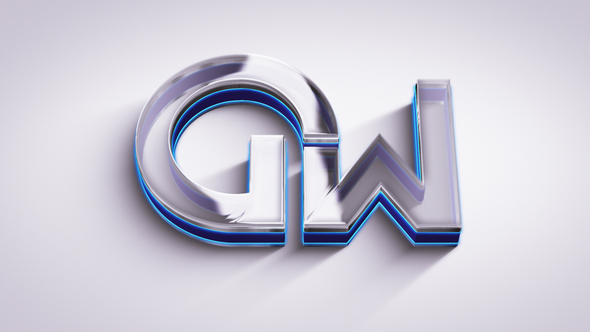



Free Download Logo Animation. Are you looking to bring your brand to life with dynamic logo animation? Using Adobe Premiere Pro 2022, you can transform a static logo into a captivating visual element that grabs attention. Ideal for professionals and beginners alike, this tool offers **Full HD Resolution 1920×1080** and **no plugins required** for ease of use. Edit colors and scenes smoothly with straightforward controls and benefit from an **inclusive video tutorial** to guide you step by step.
With these features, your logo doesn’t just represent your brand; it actively engages your audience, making a lasting impression. Whether enhancing online content or broadcasting, this Premiere Pro template makes it seamless and impactful.
Overview of Logo Animation
Logo animation in Adobe Premiere Pro 2022 has never been more accessible. With full HD resolution 1920×1080, this feature promises crisp, clear visual quality for any project. Users will appreciate the easy color and scene controls, making customization simple even for beginners. No plugins are required, ensuring a smooth workflow. Included in the package is a helpful video tutorial guiding you through the editing process step-by-step, so you can easily drop your logo or text into the template. It’s important to note that while sound effects are not included, users can find suitable music through the provided link.
Features of Logo Animation
- Full HD Resolution: Enjoy crisp, clear outputs with a resolution of 1920×1080
- Adobe Premiere Pro Compatibility: Works smoothly with Adobe Premiere Pro 2022 and newer versions.
- User-Friendly Controls: Modify color schemes and scene settings with ease to suit your branding needs.
- Guided Assistance: A detailed video tutorial is included to help newcomers get started quickly.
- Straightforward Editing: Simply insert your logo or text into the designated space – no complex procedures required.
- No Plugins Needed: Operates flawlessly without the need for additional plugins.
- Customizable Fonts: Links to fonts used in the preview are provided, ensuring a cohesive look.
Animating your logo in Adobe Premiere Pro using this logo animation template not only enhances your brand’s visual appeal but also ensures a professional look with minimal effort. This integration allows users to maintain all editing within a single software environment, streamlining the video production process. This solution is perfect for those looking to create impressive logo animations quickly and efficiently, without compromising on quality or professionalism.
How to use Logo Animation
If you’re keen to add a dynamic touch to your videos by animating a logo in Adobe Premiere Pro, using a logo animation template is a great starting point. This simple guide will walk you through the process, ensuring your edits look professional and sharp.
1. Start by opening Adobe Premiere Pro and create a new project. Navigate to the ‘Project’ window, right-click, and select ‘Import’ to bring your logo animation template into the project.
2. Once the template is imported, find the sequence preset that matches your editing needs. Double-click to open it on the timeline.
3. Locate the layer designated for your logo. This typically is a placeholder marked clearly in the template. Drag and drop your logo file here. Ensure your logo is in a suitable format, ideally PNG or vector, for the best quality.
4. After placing your logo, you might want to tweak animation settings to suit your branding style. Look in the ‘Effect Controls’ panel where you can adjust the scale, position, and rotation of your logo.
5. Preview your animation by hitting the ‘Space’ bar. If everything looks good, proceed to export your video by going to ‘File > Export > Media’. Choose your desired format and settings, then click ‘Export’.
This efficient approach will breathe new life into your logo, making your brand’s presence more vibrant and dynamic in your videos.
Download More For Free :
Logo Animation Demo and Download
If you’re ready to bring dynamic branding to your videos, downloading the Logo Animation template from vfxdownload.net is your next step. Simply scroll to the bottom of the page, where you’ll find the download section. Click the download button to initiate the download, and you’ll be set to integrate this impressive animation into your projects. This quick process ensures you spend less time searching and more time creating impactful video content.
VideoHive – Logo Animation | Size: 23.03 MB
Fast Prefiles NitroFlare Turbobit RapidGator
Disclaimer
In need of a dynamic introduction for your videos? The Logo Animation template by VideoHive is a useful resource that provides stunning visuals and animations. Please note that the demo content is intended solely for educational purposes. For any commercial use, you’ll need to make a purchase at vfxdownload.net. This ensures you comply with the usage rights and support the creators effectively.


















