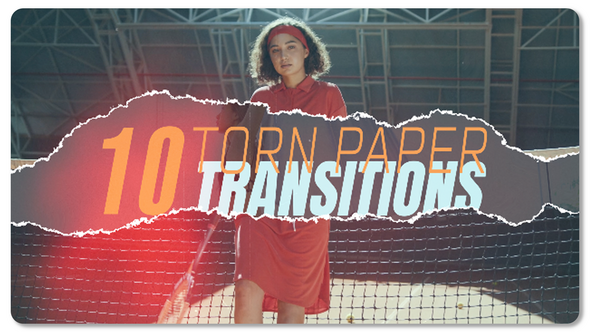
Free Download Torn Paper Transitions. Are you looking to add dynamic and visually appealing effects to your video projects using Adobe Premiere Pro? Torn Paper Transitions offer a creative and efficient way to move between scenes. Perfect for Adobe Premiere Pro CC 2022 users and above, these transitions require no additional plugins and do not necessitate Adobe After Effects. Enjoy features like 4K resolution, universal expressions for global use, and a straightforward drag-and-drop customization process. Get ready to elevate your video content with these professional-looking transitions that are both easy to use and highly effective.
Overview of Torn Paper Transitions
Torn Paper Transitions for Adobe Premiere Pro CC 2022 offers an exciting way to add dynamic movement to your videos without needing any additional software. With no plugins required and universal expressions, this tool is perfect for enhancing projects with its 4K resolution and smooth 25 fps playback. Featuring 10 customizable placeholders for either video or photo integration, the setup process is incredibly user-friendly: simply drag and drop your files into the timeline. Whether for sports, fashion, or personal projects, these transitions make your edit visually captivating.
Features of Torn Paper Transitions
- Compatible with Adobe Premiere Pro CC 2022 and newer versions, eliminating the need for Adobe After Effects.
- Does not require any additional plugins to use.
- Supports 4K resolution (3840×2160) at 25 fps, ensuring high-quality video production.
- Includes 10 placeholders, allowing you to add video or photos seamlessly.
- Total duration of 00:39, perfect for quick and impactful transitions.
- Features universal expressions that work across different language settings in Premiere Pro.
- Simple drag-and-drop functionality for easy customization and quick editing.
- Music link provided for ‘Fashion Sport Hip Hop’ to sync with your transitions effectively.
These features make Torn Paper Transitions a versatile and user-friendly option for video editors using Adobe Premiere Pro. By integrating directly into Premiere Pro, it streamlines the editing process, enhancing your workflow without the need for complex installations or additional software. This integration ensures a smoother editing experience and allows for high-quality production outcomes.
How to use Torn Paper Transitions
If you’re ready to add a creative twist to your video projects using ‘Torn Paper Transitions’ in Adobe Premiere Pro, follow this quick guide:
1. Start by opening Adobe Premiere Pro and importing your video clips into your media library.
2. Drag your selected video clips onto the timeline to create a sequence.
3. Download the ‘Torn Paper Transitions’ template and import it into your project. Look for the ‘Essential Graphics’ panel under the ‘Window’ menu if it’s not already open.
4. Find the ‘Torn Paper Transitions’ within the ‘Essential Graphics’ panel. Drag the transition you like onto the timeline, placing it between two clips.
5. Click on the transition layer in the timeline to select it. Adjust the duration and alignment of the transition to fit perfectly between the clips.
6. Preview the effect by scrubbing over the timeline or pressing the space bar. Adjust as necessary to make sure it flows smoothly.
7. After adjustments, save your project and export the video in your desired format by going to ‘File’ > ‘Export’ > ‘Media.’
This method will give your videos a distinctive, dynamic edge with minimal effort!
Download More For Free :
Torn Paper Transitions Demo and Download
If you’re ready to add unique transitions to your video projects, downloading the Torn Paper Transitions template from vfxdownload.net is simple. First, go to the vfxdownload.net website. Navigate your way to the Torn Paper Transitions template page. Scroll down until you see the download section. There, just click on the download button to start your download instantly. This quick process ensures you can start enhancing your videos with creative flair in no time!
VideoHive – Torn Paper Transitions | Size: 299.19 MB
Fast Prefiles NitroFlare Turbobit RapidGator
Disclaimer
If you’re eyeing the Torn Paper Transitions template available at VideoHive, please note that the demo content is strictly for educational purposes. Interested individuals or entities looking to use these transitions for commercial projects should consider purchasing the full version from vfxdownload.net to comply with the usage terms. This ensures adherence to legal and ethical standards while benefiting from the full capabilities of the template.