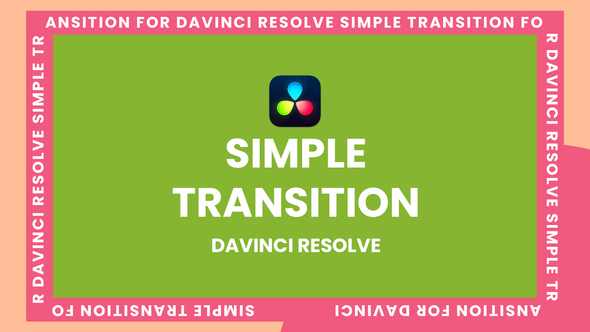


Free Download Transitions Template Davinci Resolve. If you’re a video editor keen on making your projects visually striking, the Transitions Template for DaVinci Resolve could be your next favorite tool. This user-friendly template offers one-click install DRFX files, customizable options with any color control, and six unique transition variations to enhance your edits. Perfect for adding a professional touch, the template also includes a demo video to showcase its potential, ensuring you can visualize the impact before application. Please note, video, images, and sound effects shown in the demo are for illustrative purposes only and are not included in the download.
Overview of Transitions Template Davinci Resolve
The Transitions Template for DaVinci Resolve offers an impressive toolkit for video editors looking to enhance their projects efficiently. With a one-click install of DRFX files, this template package is not only easy to use but also highly customizable, supporting any color control. It includes six varied transitions and a macro file, making it versatile for different editing needs. The project file is fully editable, and a video demo is included to guide users through features and application. Remember, video, images, and sound effects seen in the demo are not included in the download package.
Features of Transitions Template Davinci Resolve
If you’re venturing into video editing with DaVinci Resolve, the ‘Transitions Template DaVinci Resolve’ offers a useful toolkit to streamline your editing process. Here’s a detailed look at what makes this template a valuable addition to your editing suite:
- Project File included: Comes with a ready-to-use project file that simplifies your workflow.
- Editable Template: Allows for full customization to suit your specific project needs.
- One-Click Install: DRFX files for hassle-free installation, saving you time and effort.
- Macro File Included: Enhances functionality and offers additional editing features.
- Color Control: Modify any color within the transitions to match your project’s color scheme.
- Variety of Transitions: Includes six different transitions to add professional flair to your edits.
- Video Demo Included: A video demo is available to show you exactly how each transition works and looks.
- User-friendly: Designed to be easy to use, regardless of your expertise in video editing.
This template not only integrates seamlessly with DaVinci Resolve but also enhances the application’s native capabilities, allowing you to create high-quality transitions without extensive manual effort. Ideal for both beginners and seasoned professionals, it helps produce visually stunning video content efficiently.
How to use Transitions Template Davinci Resolve
To begin using the ‘Transitions Template Davinci Resolve’ in DaVinci Resolve, follow these simple steps:
1. Open DaVinci Resolve and start a new project. Navigate to the ‘Media Pool’, right-click, and select ‘Import Media’ to add your video files.
2. Drag your video clips onto the timeline. Ensure they are arranged in the order you want them to appear in your project.
3. Download the ‘Transitions Template Davinci Resolve’ if you haven’t already. Import this template into your project by right-clicking in the ‘Media Pool’ and selecting ‘Import Media’. Find the template file on your computer and add it to the pool.
4. Locate the template in your ‘Media Pool’, then drag and drop the transition effects between the clips on your timeline where you want the transitions to occur.
5. Click on any transition on the timeline to adjust its properties. You can modify the duration and behavior of the transition to better fit your video.
6. After placing and adjusting all transitions, preview your video sequence to ensure everything flows smoothly.
7. Once satisfied with the arrangement and effect of the transitions, go to the ‘Deliver’ page to export your final video. Choose your desired format and resolution, then click ‘Start Render’.
These steps will help you effectively apply the ‘Transitions Template Davinci Resolve’ to your video projects in DaVinci Resolve, enhancing your video’s visual appeal and flow.
Download More For Free :
Transitions Template Davinci Resolve Demo and Download
To download the Transitions Template for Davinci Resolve from vfxdownload.net, follow these simple steps:
1. Visit the website at vfxdownload.net.
2. Navigate to the search bar and type “Transitions Template Davinci Resolve.”
3. Scroll to locate the download section within the template’s page.
4. Click on the Download button.
This process is straightforward and allows you to quickly access the tools needed for enhancing your video editing projects with high-quality transitions.
VideoHive – Transitions Template Davinci Resolve | Size: 46.85 MB
Fast Prefiles NitroFlare Turbobit RapidGator
Disclaimer
If you are considering using the ‘Transitions Template Davinci Resolve’ from VideoHive, please note that the demo content provided is strictly for educational purposes only. To utilize these transitions for commercial purposes, you must acquire them through a purchase from vfxdownload.net. This ensures you comply with the licensing terms and support the creators properly.